Search the words
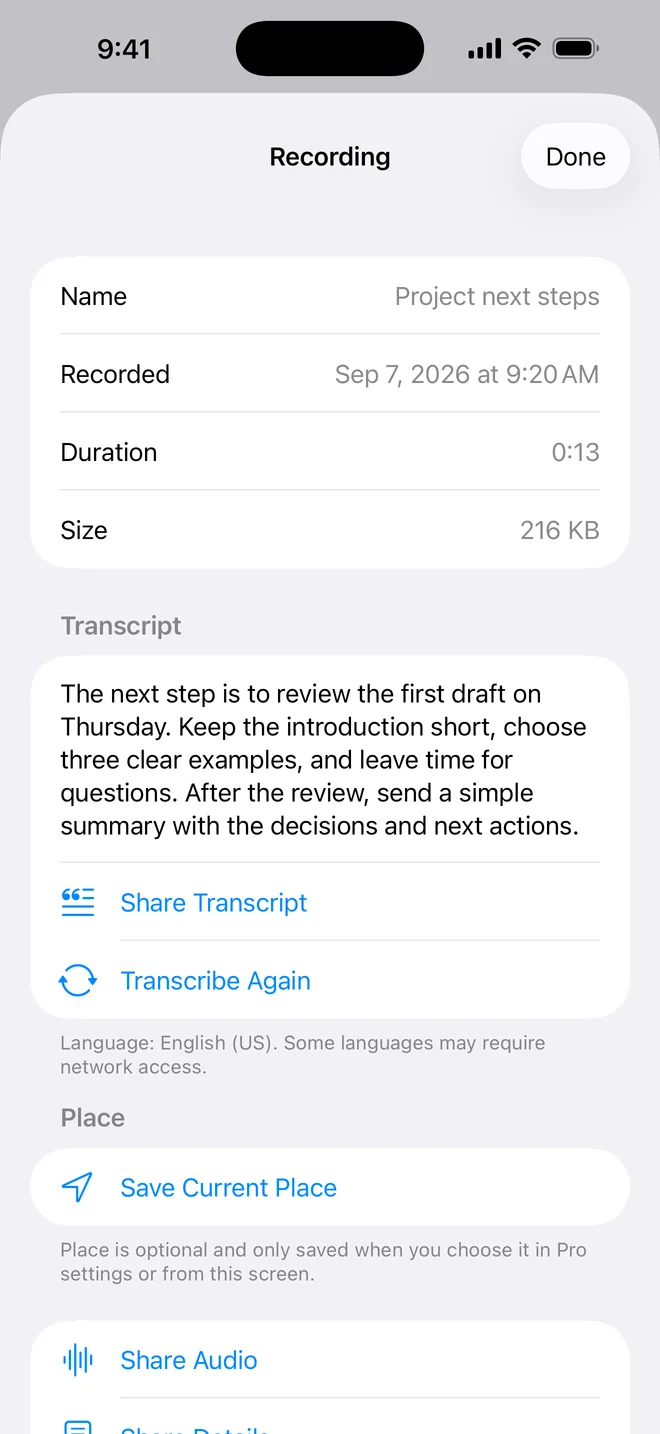
Pro turns supported speech into saved text. Search a phrase you remember and jump back to the matching recording.
 LIVE ON APP STORE · VERSION 1.1
Pocket memory / One button
A fast, private voice recorder for iPhone. Press once, capture the thought, then search your library—or, with Pro, search for the words you remember saying.
The useful trick
Search that word and OnePress Rec can find the recording whose completed transcript contains it. Names, dates, saved places, and spoken words can all lead you back to the right audio.
“The next step is to review the first draft on Thursday…”
Actual screens / No concept art
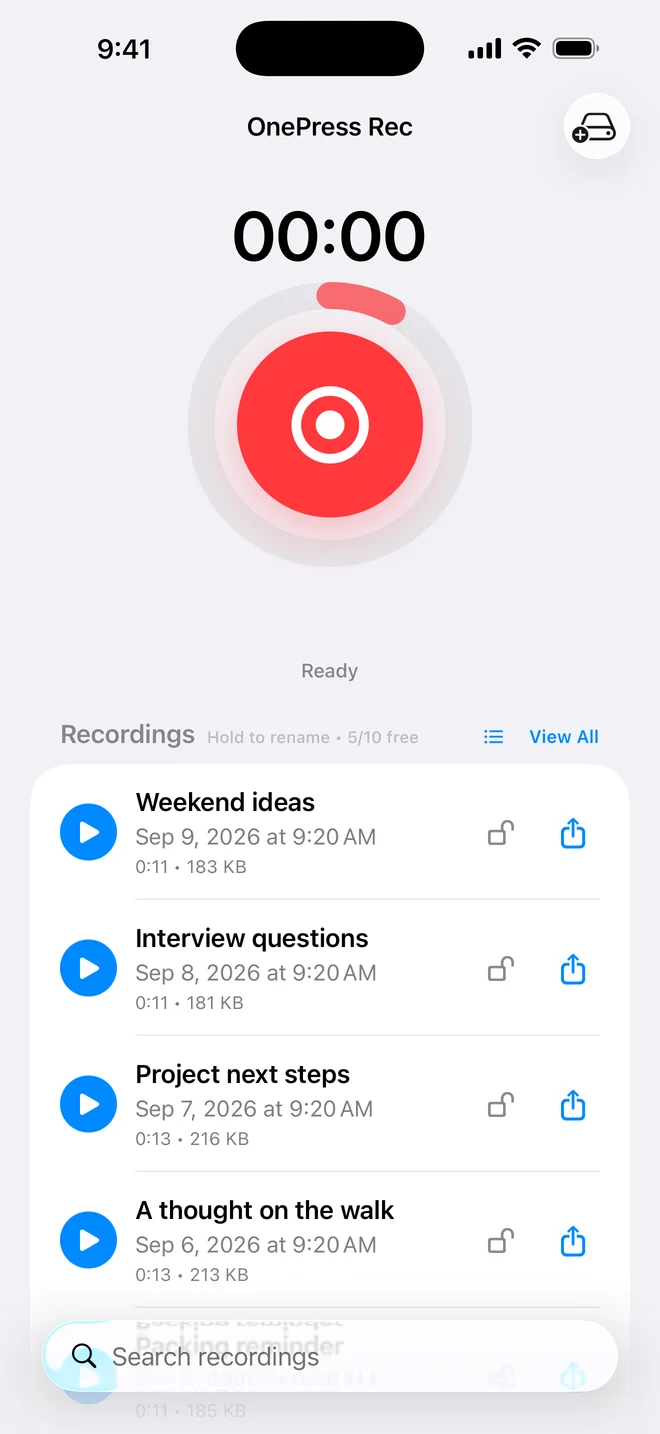
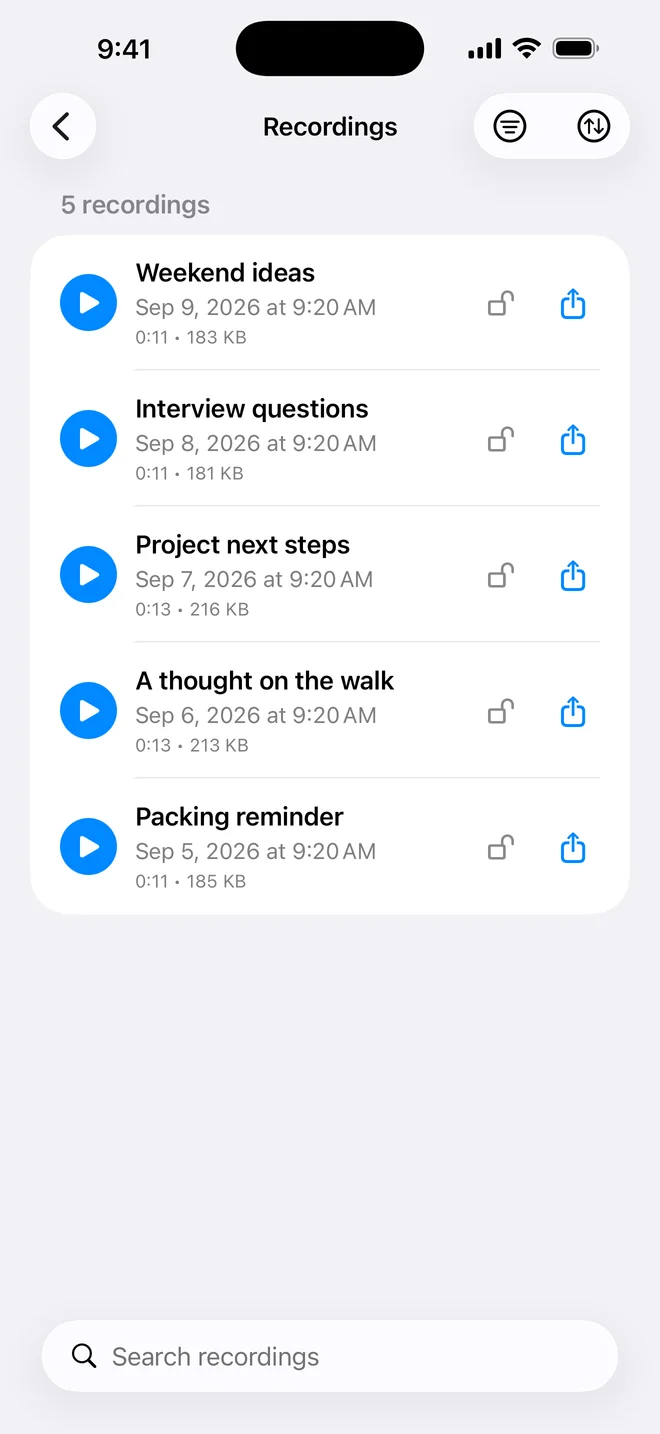
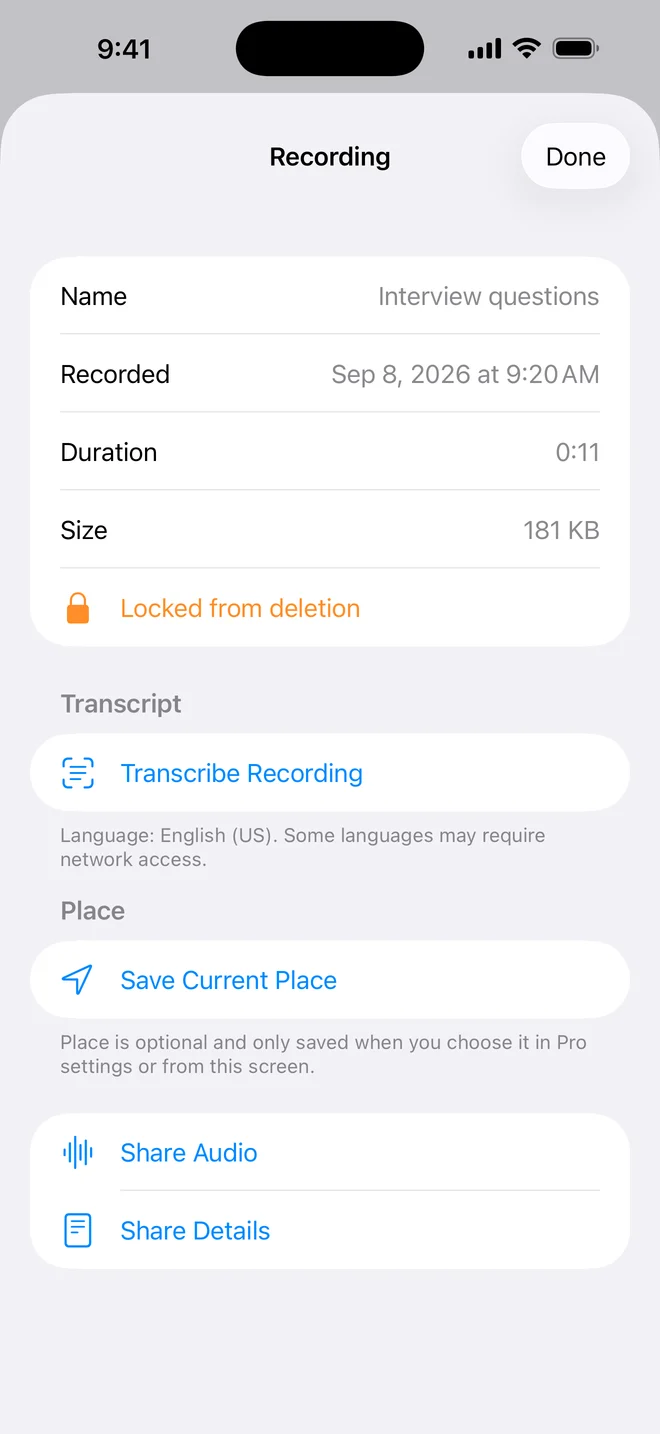
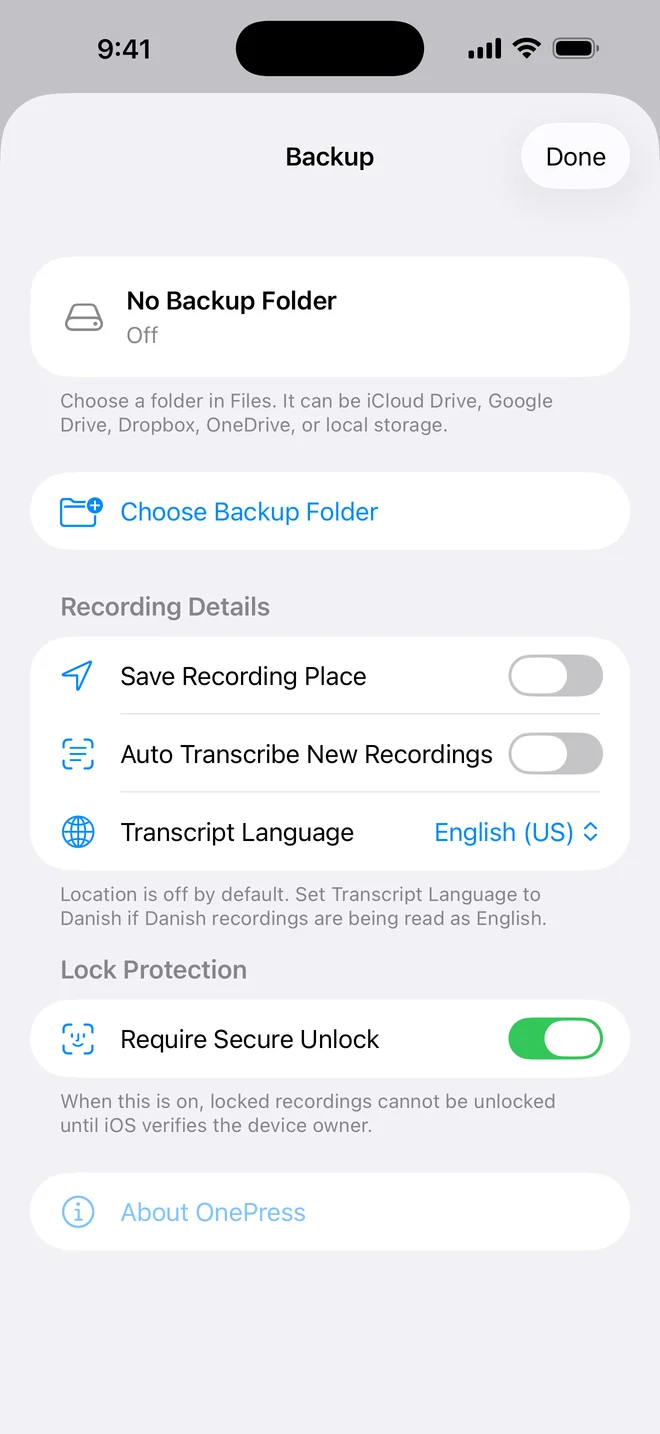
Swipe through the current version 1.1 interface.
OnePress Rec / 30 seconds
New in version 1.1
Pro turns supported speech into saved text. Search a phrase you remember and jump back to the matching recording.
Choose the transcript language—including Danish—when automatic recognition is not the right fit.
Search and filter by lock, text, or place. Sort by date, length, or name when the list starts growing.
Optionally save an estimated recording place. The original date, duration, transcript, and place stay with the recording details.
Lock recordings against accidental deletion. Pro can require Face ID, Touch ID, or device passcode before unlocking them.
Pick a folder in Files. Pro backups can include the audio, recording details, and transcript text.
Why I built it
I wanted a recorder that opens ready, stays understandable, and does not demand an account before it can remember something for you. Version 1.1 adds depth only where it earns the space: finding, protecting, and backing up what you already chose to record.
— Erkan, builder of OnePress Rec
Start without ceremony
Pro is an optional one-time lifetime purchase inside OnePress Rec—not a subscription.
Your local price is shown by the App Store before purchase.
Your audio / Your choice
OnePress does not collect your recordings or transcripts on its servers. Audio stays on your device unless you choose to share, export, or back it up.
Optional transcription uses Apple Speech Recognition. Some languages may use Apple’s online service. Optional backup goes to the Files folder or provider you choose.
Read the full privacy policy →Useful questions / Straight answers
Yes. The free app records, plays, renames, shares, and keeps up to 10 saved recordings. Optional lifetime Pro removes that saved-recording limit and adds transcription, spoken-word search, secure lock protection, optional place details, and automatic Files backup.
Yes, with Pro, after that recording has a completed transcript. Search for a word or phrase in View All and Rec checks the saved transcript for a match.
OnePress Rec lets Pro users choose a transcript language, including Danish. Availability depends on the language, device, and Apple Speech Recognition. Some languages may need an internet connection.
No. A lock protects against accidental deletion. With Pro and Secure Unlock enabled, iOS asks for Face ID, Touch ID, or the device passcode before the recording can be unlocked for deletion.
To the folder you choose in Files. That may be local storage or an available provider such as iCloud Drive. You stay in control of the destination.
No account is required. Pro is an optional one-time lifetime purchase for OnePress Rec.
Next thought incoming